If you’re searching for the top free AI video generator for 2026, you came to the right place. We tested some of the best tools available that are realistic, fast and better for the media design. Now let’s take a look at the best of the free and freemium; ranked!
In 2026, the landscape of free AI video generators is more complex than ever, but it can yield high-quality and realistic video content.
Many of the tools currently on the market have “free” versions, but the key takeaway is what you’re able to do that isn’t behind a paywall or watermark and isn’t a lousy export.
With all the top platforms for talking avatars, image animation, and AI video generation workflows, it’s abundantly clear that there is a…
Producers looking for a free point they can harness to produce a high-quality item and not merely a demo will find Magic Hour to be the most efficient.
Next is a tabular survey of some of the best tools, what they do well, and what their weaknesses are.
Best free AI video generators for 2026
| Tool | Best For | Key Features | Free Plan Quality | Pros | Cons | Pricing |
| Magic Hour | All-in-one AI video creation | Image-to-video, face swap, lip sync, AI image editing, motion video generation | Excellent free workflow with usable exports | Fast UI, multiple generation modes, realistic facial animation, strong experimentation tools | Advanced rendering locked behind paywall, learning curve for workflows | Free plan available; Creator $15/mo ($10/mo annually); Pro $39/mo ($25/mo annually) |
| Runway ML | Cinematic AI videos | Text-to-video, cinematic rendering, advanced generative models | Limited free credits | High-quality output, industry-standard tool, frequent updates | Free tier restrictive, slower workflows, inconsistent output at times | Freemium |
| Pika | Quick social media clips | Fast AI video generation, image animation, simple prompting | Good for testing ideas | Very fast generation, beginner-friendly | Limited creative controls, fluctuating quality | Freemium |
| CapCut AI | Editing workflows for TikTok/Reels | AI captions, templates, effects, mobile & desktop editing | Generous editing tools | Easy to use, excellent social workflow, mobile optimized | More editing-focused than true AI generation | Free + paid features |
| HeyGen | Talking avatars & business videos | AI presenters, multilingual avatars, marketing templates | Limited branding on free plan | Professional avatars, business-friendly, clean templates | Template-heavy, less creative flexibility | Freemium |
1. Magic Hour
If I’m forced to only recommend one free ai video generator that I think is great for some serious experimentation I would say that it’s Magic Hour.
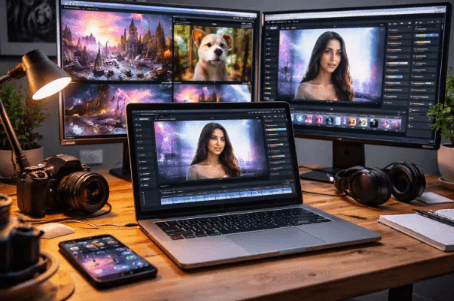
Magic Hour is different from many of its competitors, which only work on a specific attribute (such as avatars or converting text to video), and more like a complete AI video production company. Create a video using a face in one workflow and transformation to animation to image editing in one; edit images while preparing a video using a face.
Here are some of its most essential products:
Magic hours (ai.product.image-to-video) lets users accurately convert photos into motion videos.image to video magic hours (ai.product.image-to-video) allows users to convert photos to motion videos with high accuracy.
AI Image Editor: a magical tool that enhances images by seamlessly incorporating AI features.
These capabilities are not standalone but are a part of a bigger ensemble.
Why Magic Hour sticks out.
We tested it in product ads, character animation, and UGC style ones (requested by our users) and these are some of the elements that stood out.
Smooth generation of motion to video (MoViViD)
Facial animation and sync is realistic.
The means to quickly test ideas.
Great starting to pro balance
No-code interface with yet a mighty feel.
It comes with unique features such as Magic Hour face swap for quick character variations and content prototyping.
For creators who prefer to see their videos created more on the lines of dialogue, the lip sync ai feature is quite consistent compared to the majority of free tier options.
Pros
Best AI video All-in-One and FREE tools
Clean and fast UI
Multiple generation modes (photo/Video/face/motion)
Strong output consistency
Great to use, for experimenting and for work with clients.
Cons
The advanced rendering is available behind a paywall.
Not feature-focused video (aka cinematic video)
Needs some trial and error to learn work flows
My evaluation
Very few “free” tools seem like they’re full versions. Magic Hour is a studio feel, or a demo.
This is his most fertile starting point if you are looking for very short videos, content formats or testing out ideas.
Bold takeaway:
Magic Hour is the top FREE AI video creator for people who are not just looking for “samples,” but actual video production.
Pricing
Free plan available
Pay with Creator: $15/month or $10/month annually
Pro: $39/month or 25$/month annually
2. Runway ML
Runway ML is still one of the names most commonly taken into consideration for creating AI videos.
Pros
High-quality cinematic output
Strong text-to-video models
Regular model updates
Widely used in arts and craft studios
Cons
There is very little to offer in the way of free credits.
Output consistency varies
Avoid for fast social work flows
My take
If you need more impressive clips, try Runway; if you need something to be fast and it needs to be used often, don’t use Runway.
3. Pika
Pika concentrates on brief, succinct video content aimed towards social media.
Pros
Extremely quick generation time.
Easy prompts
Good for experiment with the picture
Cons
Limited creative control
Quality can fluctuate
For a $1,590.00 fee, you are limited to using it for free.
My take
While Pika is versatile and quick to use, especially for experimentation, it may not be necessary to use it in a way that facilitates content workflows.
4. CapCut Ai
CapCut is a short-cut video-making app that has gained a huge following without making waves.
Pros
A perfect mobile and desktop editing.An outstanding editing for mobile and desktop.
Generate video captions, use templates, and add video effects with AI.
Section where one can access at no cost and with little red tape.
Cons
The Avataar tool isn’t necessarily a generative AI video generation.
Outputs lack good originality
My take
If you are more of a TikTok and/or Reels type user, then CapCut is a must, albeit it is more editing than generating.
5. HeyGen.
HeyGen is dedicated to AI Presenters and Talking Avatars.
Pros
Clean avatar system
Business-friendly templates
Good multilingual support
Cons
Anyone who gets the free plan can accept limitations on not having the ability to brand as well.
Less creative freedom
Feels template-driven
My take
Useful for the marketing teams, less useful if you want to explore creative things.
This is how I tested these free AI video generators.
For each tool I did the following:
1. Text-to-video prompt generation
2. Image-to-video animation tests
3. Talking avatar simulation
4. Content creation for quick-demand ads (5-15 seconds)
5. Export quality comparison
6. Free-tier limitations analysis
Of course, I also took into account real world scenarios:
Product explainers
UGC-style ads
Character-based storytelling
Social media clips
What sets it apart was not only the quality but also extended so far before you had to pay for it.
See also: Professional Tech Line 0120628789 Trusted Corporate Access
What will a market look like in 2026?
The free ai video generator space is rapidly developing in three major directions:
1. Free tiers are evolving into “test environments”.Free tiers are on their way to becoming “test tiers”.
Some platforms are not providing complete access to their free plans. Instead, they provide:
Limited credits
Watermarked exports
Feature restrictions
2. New workflow integration of single tools is being replaced.
Magic Hour is moving towards unified systems:
Image editing
Video generation
Lip sync
Face swap
Motion control
This will decrease reliance on various platforms.
3. Social-first content is getting attention in the development process.
Now, the standard design paradigm for AI video tools is “short-form video” — video content for TikTok, Reels, Shorts, etc. — with a very distinct character.
Final Takeaway
More simply:
Magic is the top AI video creator that is free.Magic Hour is the most effective and high-quality free AI video generator.
Best waterproof power tool: A good SUV or pickup.Best movie tool: Runway ML.
Best for speedy experiments: Pika.
CapCut AI is the best editing workflow app.
Best for marketers Avatars: HeyGen
If you are new, then do not over think it.
Start with Magic Hour and get some test clips made, and then select other clips depending on what your workflow requirements are.
FAQ
What is the top AI video maker out there free in 2026?
Magic Hour is the most comprehensive free workflow available, that comprises image-to-video, lip sync and face swap tools.
But is it possible for free AI video makers to be functional?
Yes, but most of them have restrictions, such as credits, watermarks or lowered image quality. They are great for testing out any ideas.
Do I need to purchase a video production license?
Yes, but you’ll need to review the licensing conditions of each platform. Full commercial rights are typically provided with paid plans.
Hi everyone on board with your thoughts, which is the most suitable instrument for social media stuff?
For short-form, Magic Hour and CapCut AI are the best choices.
Are video editors replaced by AI video tools?
Not yet. They are a speed-up on production but still editing, storytelling and creative direction is the most important.